

Artificial Intelligence has become an essential companion for modern programmers. From writing clean code to debugging complex logic, AI tools help developers work faster, smarter, and with fewer errors. Whether you are a beginner or an experienced software engineer, using the right AI tools can significantly improve productivity and code quality.
In this article, we explore the top AI tools every programmer should use, how they help in real-world development, and practical use cases—including a C# .NET example.
Why Programmers Should Use AI Tools
AI tools assist programmers by:
- Reducing repetitive coding tasks
- Finding bugs early
- Improving code readability
- Speeding up learning and development
These tools do not replace programmers; instead, they enhance human creativity and logic.
Top AI Tools Every Programmer Should Use
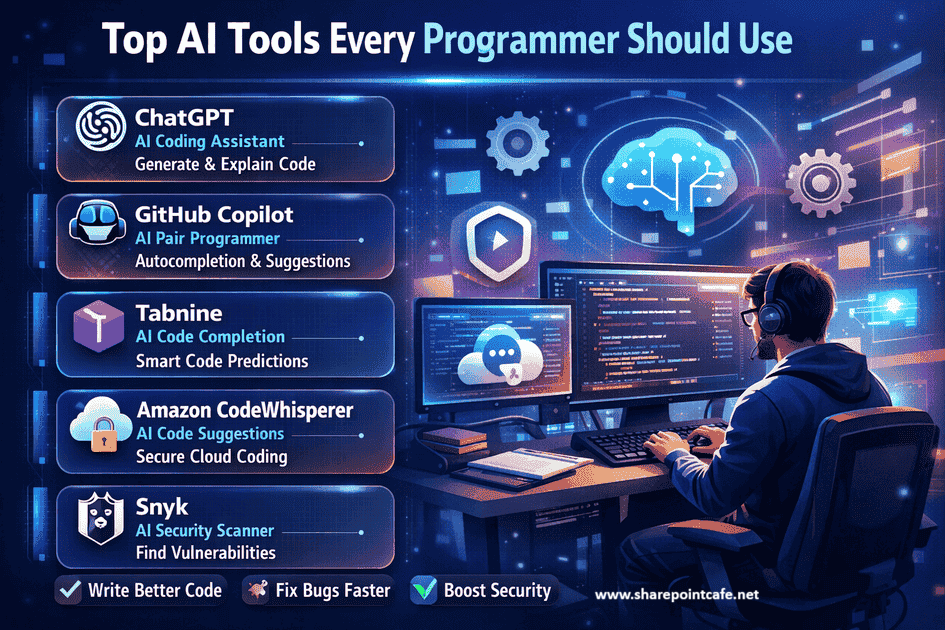
1. ChatGPT – AI Coding Assistant
Official Website: https://chat.openai.com
How It Helps Programmers:
ChatGPT helps generate code snippets, explain complex logic, refactor existing code, and suggest better solutions.
Use Cases:
- Writing C# methods quickly
- Understanding error messages
- Generating documentation comments
2. GitHub Copilot – AI Pair Programmer
Official Website: https://github.com/features/copilot
How It Helps Programmers:
GitHub Copilot suggests real-time code completions inside your IDE based on context.
Use Cases:
- Auto-completing C# classes
- Writing unit tests
- Reducing boilerplate code
3. Tabnine – AI Code Completion Tool
Official Website: https://www.tabnine.com
How It Helps Programmers:
Tabnine predicts code using AI models trained on best practices while respecting privacy.
Use Cases:
- Faster coding in Visual Studio
- Improved syntax accuracy
- Secure enterprise development
4. Amazon CodeWhisperer – AI Code Suggestions
Official Website: https://aws.amazon.com/codewhisperer
How It Helps Programmers:
Provides AI-generated code suggestions with security scans.
Use Cases:
- Secure cloud application development
- Identifying vulnerable code patterns
5. Snyk – AI-Powered Security Tool
Official Website: https://snyk.io
How It Helps Programmers:
Detects vulnerabilities in code, dependencies, and containers.
Use Cases:
- Secure .NET applications
- Automated vulnerability scanning
C# .NET Code Example Using AI Assistance
Below is a simple C# example that an AI tool can help generate or improve:
using System;

namespace AIDemo
{
    class Program
    {
        static void Main()
        {
            Console.WriteLine("Enter a number:");
            int number = Convert.ToInt32(Console.ReadLine());

            if (IsEven(number))
            {
                Console.WriteLine("The number is even.");
            }
            else
            {
                Console.WriteLine("The number is odd.");
            }
        }

        static bool IsEven(int num)
        {
            return num % 2 == 0;
        }
    }
}
How AI Helps Here:
- Explains logic line by line
- Suggests input validation
- Converts logic into reusable methods
Real-World Use Cases of AI Tools for Programmers
- Faster Development: Auto-generated boilerplate code
- Bug Reduction: Early detection of logic and security issues
- Learning Support: Instant explanations for complex concepts
- Code Optimization: Refactoring suggestions
FAQs – AI Tools for Programmers
Q1. Are AI tools safe to use for programming?
Yes, most AI tools are safe when used responsibly. Always review generated code before production use.
Q2. Can AI tools replace programmers?
No. AI assists programmers but cannot replace human logic, creativity, and decision-making.
Q3. Are AI coding tools free?
Many tools offer free versions with limited features and paid plans for advanced usage.
Q4. Which AI tool is best for C# developers?
GitHub Copilot, ChatGPT, and Tabnine work exceptionally well with C# and .NET projects.
Q5. Do AI tools improve coding skills?
Yes. They help programmers learn faster by explaining code and suggesting best practices.
Takeaway
AI tools are transforming how programmers write, debug, and maintain code. By using tools like ChatGPT, GitHub Copilot, and Snyk, developers can save time, improve code quality, and focus on solving real problems. Every programmer should adopt AI—not as a shortcut, but as a smart development companion.
Keep Following: SharePointCafe.NET










Leave a Reply