

The world of artificial intelligence continues to evolve rapidly, and organizations want platforms that help them develop scalable, secure, and production-ready AI solutions. Azure AI Foundry enables businesses to build modern AI applications, orchestrate intelligent agents, and operationalize AI workflows inside a unified ecosystem.
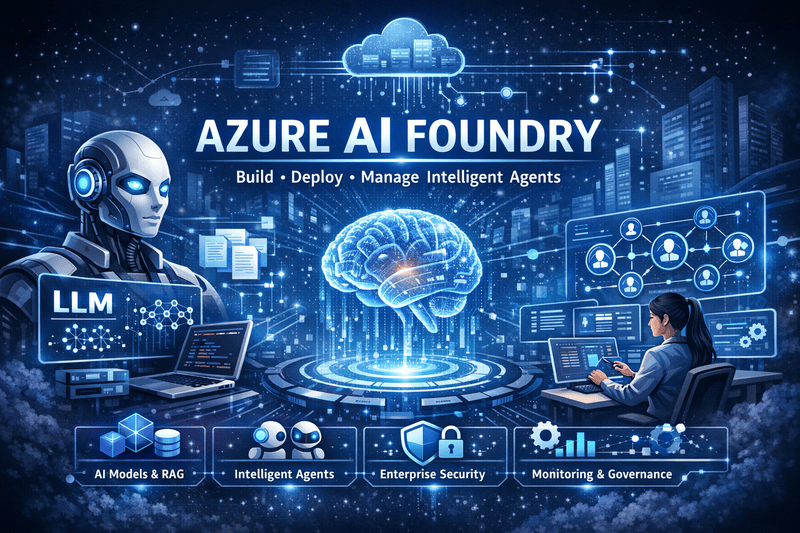
What Is Azure AI Foundry?
Azure AI Foundry (earlier known as Azure AI Studio) is a centralized platform on Microsoft Azure that allows developers, data scientists, and enterprises to design, build, deploy, and manage AI-powered applications and multi-agent systems. The platform brings together:
- Large Language Models (LLMs)
- Retrieval-augmented generation (RAG) capabilities
- Intelligent agent orchestration
- Data connectors and search tools
- Deployment and monitoring pipelines
- Governance and security controls
You work inside a unified workspace where teams collaborate efficiently, experiment faster, and move solutions into production with confidence.
Think of it as an AI workspace where you can:
- Try different AI models
- Connect your own data
- Build chatbots or copilots
- Evaluate responses
- Deploy to apps & APIs
With Azure AI Foundry, you can connect:
- Azure Blob Storage
- Azure AI Search
- SQL database
- SharePoint
- OneDrive
- Local PDFs
Then the model answers based only on your data.
Azure AI Foundry supports:
- No-code workflows
- Low-code prompt flow
- Full-code integrations (optional)
Unlike isolated AI tools, Azure AI Foundry provides an end-to-end environment that supports every stage of the AI lifecycle — from ideation and prototyping to scaling and optimisation.
Why Businesses Use Azure AI Foundry
Modern organisations want AI platforms that support innovation without compromising reliability, compliance, or control. Azure AI Foundry delivers these advantages because it:
- reduces development friction
- enables secure enterprise adoption
- accelerates production deployment
- supports multi-model and multi-agent architectures
Businesses use the platform to automate workflows, enhance knowledge access, build decision-support systems, and create AI-powered applications that operate consistently across environments.
With Azure AI Foundry, teams spend less time managing infrastructure and more time solving real business problems.
Key Features of Azure AI Foundry
🧠 Unified AI Development Workspace
Azure AI Foundry provides a single collaborative workspace where teams:
- design prompts and reasoning flows
- integrate data and tools
- configure model behavior
- run tests and debugging workflows
- deploy applications directly into production
This unified approach eliminates fragmented tooling and improves cross-team alignment.
🤖 Intelligent Agent Orchestration
One of the most powerful features of Azure AI Foundry is its ability to build and manage intelligent agents. These agents:
- analyze tasks
- reason through instructions
- retrieve data when necessary
- call APIs and external tools
- collaborate with other agents
Organizations create agents for:
- workflow automation
- service and support operations
- decision intelligence
- document processing
- enterprise knowledge access
Multiple agents can work together in coordinated pipelines, which makes it possible to handle complex multi-step processes.
📚 Retrieval-Augmented Generation (RAG)
Azure AI Foundry supports secure and grounded AI responses through retrieval-augmented generation. Developers connect:
- enterprise knowledge bases
- structured business data
- document repositories
- databases and search services
RAG allows AI applications to:
- produce fact-based answers
- maintain contextual accuracy
- reduce hallucinations
- support traceable output
Teams build AI assistants that rely on verified organizational information instead of generic model responses.
🔐 Enterprise Governance and Security
Enterprises require visibility, accountability, and compliance when deploying AI solutions. Azure AI Foundry helps organizations meet these expectations through:
- role-based access control
- Microsoft Entra identity integration
- private networking options
- centralized governance policies
- detailed audit trails and logging
Organizations enforce consistent standards without slowing innovation.
📊 Monitoring, Observability, and Optimization
Azure AI Foundry provides real-time monitoring capabilities that track:
- usage metrics
- performance latency
- model effectiveness
- user interaction behavior
- operational cost patterns
Teams use these insights to optimize prompts, workflows, and deployment strategies.
The platform encourages continuous improvement rather than one-time deployment.
Architecture Overview of Azure AI Foundry
The architecture of Azure AI Foundry typically includes:
- model catalog and orchestration layer
- data retrieval and search layer
- agent coordination framework
- workflows and tool integrations
- deployment pipelines and APIs
- governance and monitoring stack
Applications interact through modular components that integrate seamlessly with other Azure services.
This architecture allows organizations to scale AI systems without major redesigns.
Benefits of Using Azure AI Foundry
🚀 Faster AI Innovation
Teams build, test, and deploy solutions rapidly because tools exist in one environment. The platform streamlines development cycles and reduces engineering overhead.
🧩 Flexible Model Support
Organizations use:
- Azure OpenAI models
- partner AI models
- open-source models
This flexibility ensures that each use case receives the best-suited model strategy.
🏢 Strong Enterprise Alignment
Azure AI Foundry aligns smoothly with enterprise infrastructure because it:
- integrates identity and security layers
- supports compliance policies
- scales across global deployments
Businesses adopt AI confidently when platforms support organizational maturity.
🤝 Strong Collaboration Across Teams
Developers, analysts, product teams, and data scientists collaborate in the same workspace. This improves communication and accelerates decision-making.
Real-World Use Cases of Azure AI Foundry
Organizations across industries adopt Azure AI Foundry to transform operations and improve efficiency.
📄 Document Intelligence and Processing
Companies process:
- legal contracts
- invoices and billing records
- compliance reports
- HR documentation
Agents classify content, extract information, and trigger automated workflows.
Best Practices for Implementing Azure AI Foundry
To achieve strong results with Azure AI Foundry, organizations should:
- define clear business outcomes before development
- start with targeted high-value use cases
- apply data-grounded RAG approaches when possible
- implement governance early in the lifecycle
- evaluate reliability and safety behavior
- monitor and refine agent performance regularly
These practices help teams build scalable, responsible, and production-ready AI solutions.
The Future of Azure AI Foundry
Azure AI Foundry represents a major evolution in how enterprises deploy AI. Instead of treating AI applications as isolated experiments, organizations now operate AI as an integrated system across workflows, departments, and data environments.
Future growth areas will include:
- stronger multi-agent coordination
- deeper enterprise data integration
- more automation of operational decision systems
- advanced monitoring and risk controls
The platform positions itself as a core foundation for long-term enterprise AI strategy.
Where Can We Use Azure AI Foundry?
Here are the most common real-world use cases:
- Enterprise Chatbots & Copilots
- Learning & Knowledge Assistants
- Industry-Specific Solutions
How Beginners can Start with Ai Foundry
As a beginner, follow the below steps to get into the AI Foundry world:
- Create Azure AI Foundry Hub
- Create a project
- Open “Playground” and test prompts
- Upload sample documents
- Build a chat app over your data
- Evaluate and test outputs
- Deploy as API or Web app
Conclusion
Azure AI Foundry empowers organizations to build and scale AI applications with confidence, structure, and control. The platform delivers a unified workspace where teams create intelligent agents, integrate enterprise data, and deploy production AI systems efficiently. With strong security, governance, and observability features, Azure AI Foundry supports innovation while aligning with enterprise needs.
Businesses that adopt Azure AI Foundry gain a strategic advantage because they transform AI from isolated experimentation into a repeatable and scalable capability across the organization.
🧩 Frequently Asked Questions (FAQ) — Azure AI Foundry
❓ 1. What is Azure AI Foundry used for?
Azure AI Foundry is used to design, build, deploy, and manage AI applications and intelligent agents in a unified Azure-based environment. It supports model orchestration, RAG-based solutions, workflow automation, multi-agent systems, monitoring, and enterprise governance.
❓ 2. How is Azure AI Foundry different from Azure OpenAI Studio?
Azure OpenAI Studio focuses primarily on working with AI models such as GPT and embeddings.
Azure AI Foundry goes beyond model usage and provides:
- multi-agent orchestration
- enterprise governance and access control
- monitoring and observability
- RAG and data integration
- deployment and operational workflows
It acts as a full AI application and operations platform.
❓ 3. Does Azure AI Foundry support open-source AI models?
Yes. Azure AI Foundry supports:
- Azure OpenAI models
- partner models
- open-source and custom models
Teams can choose the best model strategy for each use case.
❓ 4. Can I build intelligent agents using Azure AI Foundry?
Yes. Azure AI Foundry enables developers to create:
- task automation agents
- knowledge assistant agents
- workflow execution agents
- multi-agent collaboration systems
Agents can retrieve data, call APIs, and coordinate complex workflows.
❓ 5. Is Azure AI Foundry suitable for large enterprises?
Absolutely. Azure AI Foundry includes:
- role-based access control
- Microsoft Entra integration
- private networking options
- centralized governance
- monitoring and audit logs
These features make it enterprise-ready and compliant with corporate security standards.
❓ 6. What industries benefit most from Azure AI Foundry?
Industries actively using the platform include:
- banking and financial services
- healthcare and life sciences
- e-commerce and retail
- manufacturing and logistics
- IT services and consulting
- government and public sector
They use it for automation, compliance workflows, analytics, and knowledge systems.
❓ 7. Does Azure AI Foundry support Retrieval-Augmented Generation (RAG)?
Yes. Azure AI Foundry supports RAG to enable:
- fact-based responses
- contextual reasoning
- reduced hallucinations
- data-grounded outputs
It integrates smoothly with Azure AI Search and enterprise data sources.
❓ 8. Is Azure AI Foundry good for production deployment?
Yes — it is designed for:
- continuous improvement workflows
- scalability across regions
- high-availability deployment
- proactive monitoring
It moves AI projects from experimentation to production efficiently.
Keep Following: SharePointCafe.NET










Leave a Reply